
Download Audiosonic – AI Voice Generator, Text‑to‑Speech, Free Trial, Multilingual
Overview
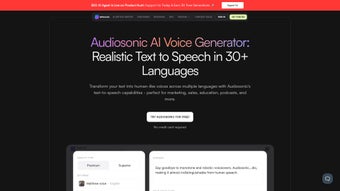
Audiosonic is a web‑based AI voice generator that transforms written text into realistic, lifelike audio. Powered by the same technology that fuels Writesonic’s suite of content tools, Audiosonic delivers studio‑quality narration for marketing videos, e‑learning modules, podcasts, and any scenario where spoken word adds value. What makes Audiosonic stand out is its ability to mimic human speech patterns, intonation, and emotion, creating a listening experience that feels natural rather than robotic.
The platform supports multiple languages and a growing library of voice personas, allowing creators to reach a global audience without hiring separate voice actors. Users start with a generous 10‑minute free credit, after which additional minutes can be purchased on a subscription basis, making the service flexible for freelancers, small businesses, and large enterprises alike. Whether you need a quick voice‑over for a social media ad or a full‑length audiobook, Audiosonic offers a secure, cloud‑based environment that updates automatically, eliminating the need for local installations or complex licensing agreements.
Key Features & Benefits
- High‑fidelity, human‑like voices with natural prosody.
- Multilingual support covering 30+ languages and regional accents.
- Customizable voice parameters – speed, pitch, and emphasis.
- Seamless integration with the Writesonic platform for single‑sign‑on.
- Real‑time preview and instant download in MP3 or WAV formats.
- API access for developers to embed text‑to‑speech into apps.
- Secure, GDPR‑compliant cloud storage of generated audio files.
- Scalable pricing – free 10‑minute credit, then pay‑as‑you‑go or subscription plans.
Pros
- Exceptional voice realism that rivals professional voice‑over talent.
- Fast processing – most files are rendered in seconds.
- Intuitive web UI; no software download required.
- Multilingual capabilities reduce the need for separate translation tools.
- Transparent pricing with clear minute‑based costs.
Cons
- Requires an internet connection; offline use is not currently supported.
- Limited free minutes may be insufficient for large projects.
- Advanced voice customization (e.g., custom voice cloning) is only available on higher‑tier plans.
Installation, Setup & How to Use Audiosonic
Because Audiosonic is entirely cloud‑based, there is no traditional installation process. Users simply need a modern web browser (Chrome, Firefox, Safari, or Edge) and an active internet connection. Follow these steps to get started:
- Sign up or log in to your Writesonic account. If you don’t have one, registration is free and only takes a minute.
- Navigate to the Audiosonic module from the dashboard. The interface presents a clean text editor on the left and a voice selector on the right.
- Enter or paste your text into the editor. Audiosonic supports up to 5,000 characters per request, making it ideal for paragraphs, scripts, or short articles.
- Choose a voice from the dropdown menu. You can filter by language, gender, and style (e.g., “Conversational,” “Narrative,” “Commercial”). A preview button lets you listen to a 5‑second sample.
- Adjust settings such as speech speed, pitch, and emphasis if you need a specific tone. These sliders are optional; the default values already produce natural‑sounding output.
- Click “Generate Audio.” The system processes the request in the cloud, and a progress bar indicates when the file is ready.
- Download or share the finished audio file. You can save it as MP3 or WAV, or copy a shareable link directly to your clipboard for instant distribution.
- Manage your minutes via the “Account” page. When you approach your limit, Audiosonic prompts you to purchase additional minutes or upgrade your subscription.
For developers, Audiosonic offers an API key in the “Integrations” section. The RESTful endpoint accepts JSON payloads with text and voice parameters, returning a URL to the generated file. Documentation includes code snippets for Python, JavaScript, and cURL, enabling quick integration into existing workflows.
Compatibility, Pricing & Support
Audiosonic works on any operating system that can run a modern web browser, including Windows 10/11, macOS Ventura, Linux distributions, Chrome OS, Android, and iOS. Because the service is hosted in the cloud, there are no system‑specific binaries or drivers to install, and the interface automatically scales for desktop, tablet, and mobile screens.
Pricing Structure
Audiosonic follows a flexible, usage‑based pricing model:
- Free Tier: 10 minutes of audio generation per month – ideal for testing and small projects.
- Pay‑As‑You‑Go: $0.02 per generated minute, no commitment.
- Monthly Subscription: 500 minutes for $9.99/month (≈$0.02/minute) with priority processing.
- Enterprise Plan: Custom volume discounts, dedicated account manager, and API SLA guarantees.
All plans include unlimited access to the voice library and automatic updates. Payments are processed securely via Stripe or PayPal, and invoices are available in the user dashboard for accounting purposes.
Customer Support & Resources
Audiosonic provides 24/7 email support and a live chat widget for paid subscribers. The knowledge base contains step‑by‑step tutorials, best‑practice guides for podcast scripting, and troubleshooting tips for common issues such as accent selection and file format conversion. Community forums allow users to share voice selections and sample scripts, fostering a collaborative environment for creative professionals.
Frequently Asked Questions
Can I use Audiosonic for commercial projects?
Yes. All paid plans include a commercial‑use license, allowing you to incorporate generated audio into ads, training modules, and any revenue‑generating content without additional royalties.
Is there a way to create a custom voice that sounds like my brand’s spokesperson?
Custom voice cloning is available on the Enterprise plan. You upload a set of recorded samples, and Audiosonic’s team trains a bespoke model that matches the speaker’s tone and cadence.
What file formats does Audiosonic support for download?
Generated audio can be downloaded as MP3 (standard bitrate) or WAV (lossless) files. Both formats are compatible with major editing suites and podcast hosting platforms.
How does Audiosonic handle data privacy and security?
All text inputs and generated audio are encrypted in transit (TLS 1.3) and at rest. Audiosonic complies with GDPR, CCPA, and ISO 27001 standards, and you can delete stored files from your account at any time.
Can I integrate Audiosonic into my existing workflow via API?
Absolutely. The RESTful API provides endpoints for text submission, voice selection, and file retrieval. API keys are generated in the dashboard, and rate limits are generous for paid tiers.
Conclusion & Call to Action
Audiosonic bridges the gap between written content and engaging audio, delivering a professional‑grade voice‑over solution without the overhead of traditional recording studios. Its multilingual library, intuitive web interface, and transparent pricing make it an attractive option for marketers, educators, podcasters, and developers alike. By offering a free 10‑minute trial, Audiosonic invites users to experience the quality firsthand before committing to a plan. If you’re ready to elevate your content strategy with natural‑sounding speech, download Audiosonic today and start turning text into captivating audio in seconds.



.png)



